Submitting Your Listing for Approval
Help Docs Home > Account Admin > Submitting Your Listing
Once your listing is completed to your satisfaction, you need to submit your listing for approval.
How to Submit Your Listing for Publication
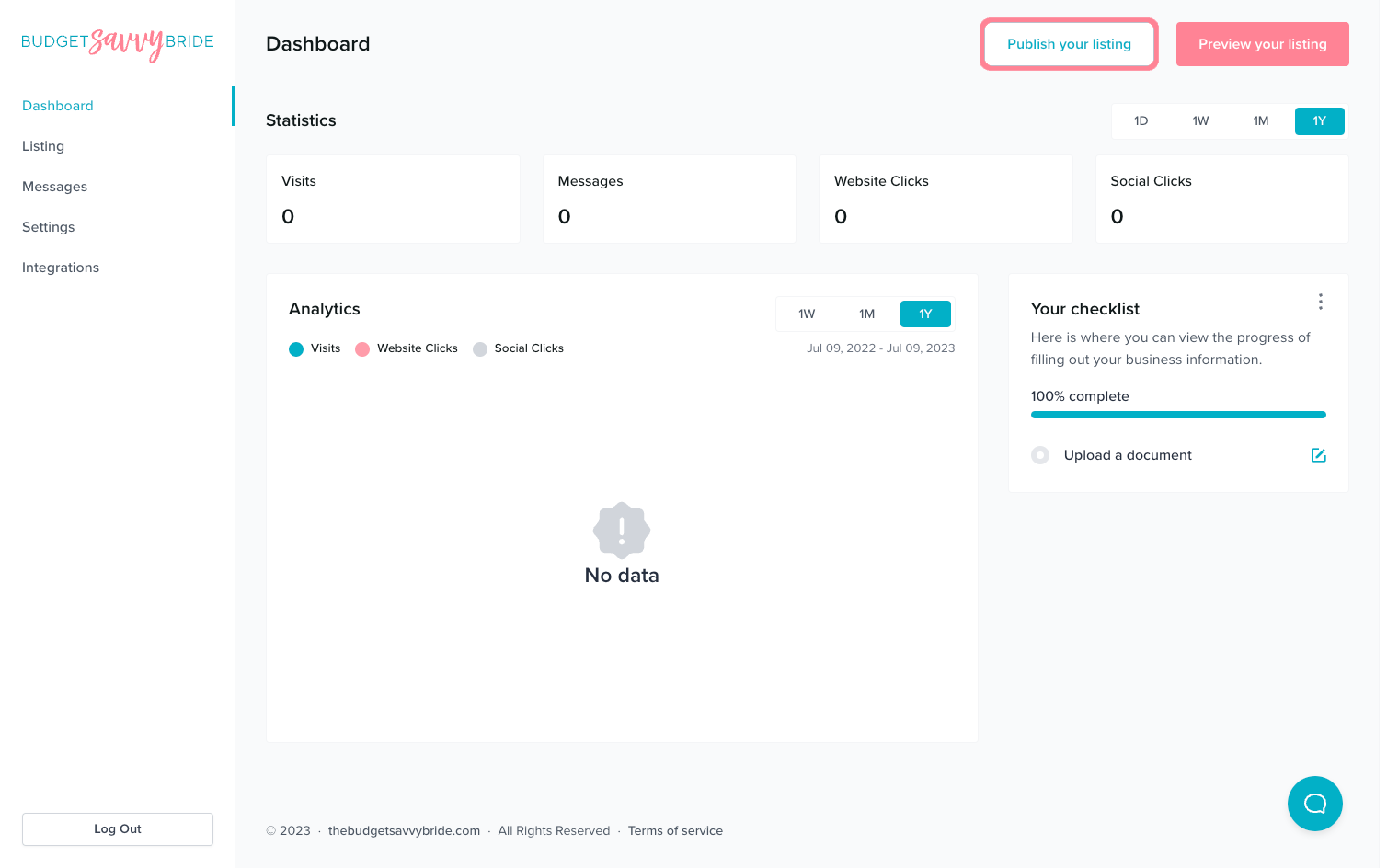
Look for the “Publish your listing’ button in the top right of your window when logged into your account. Click the button to submit your listing to our team for review.
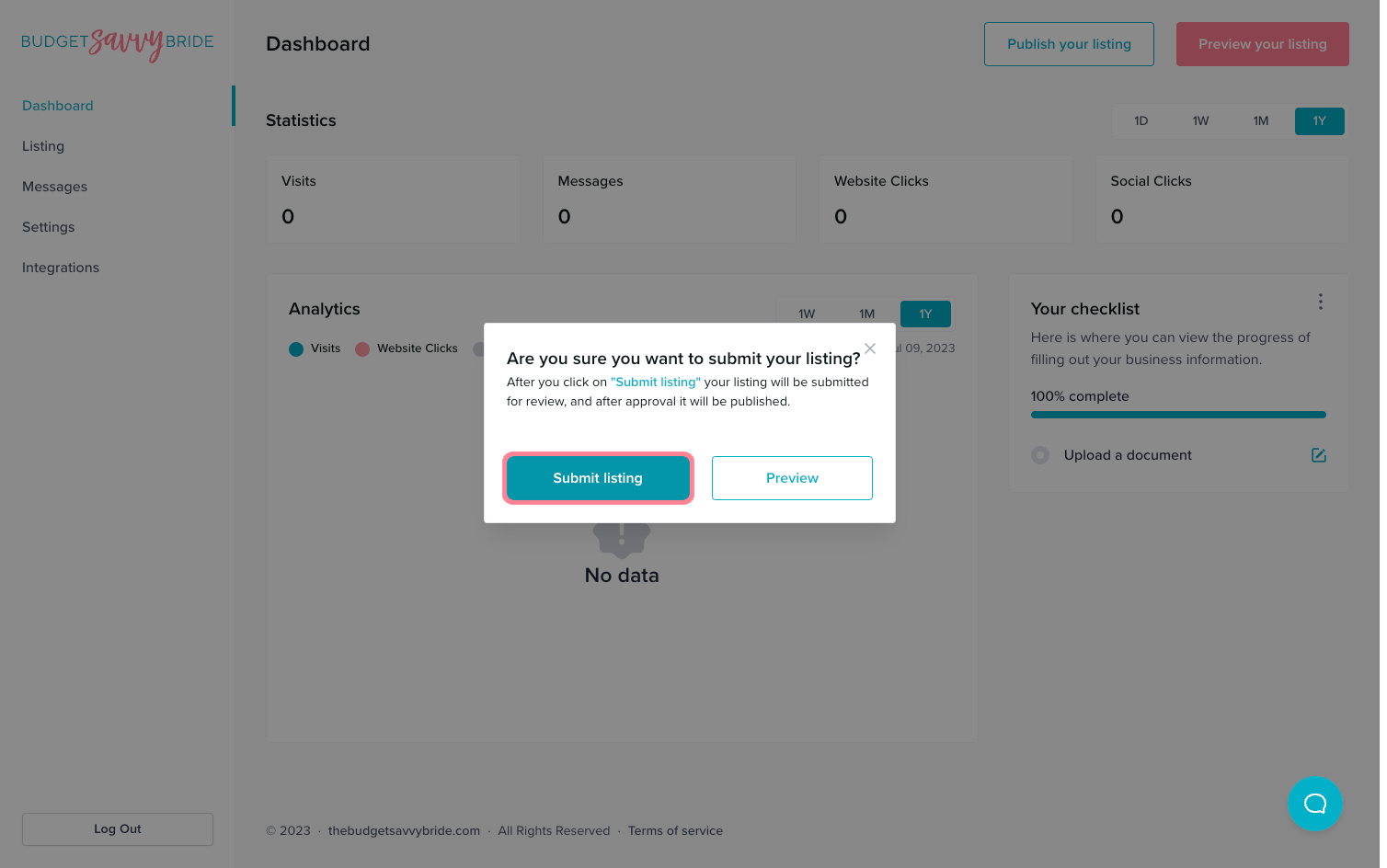
You will be prompted to confirm that you want to submit the profile for publication.
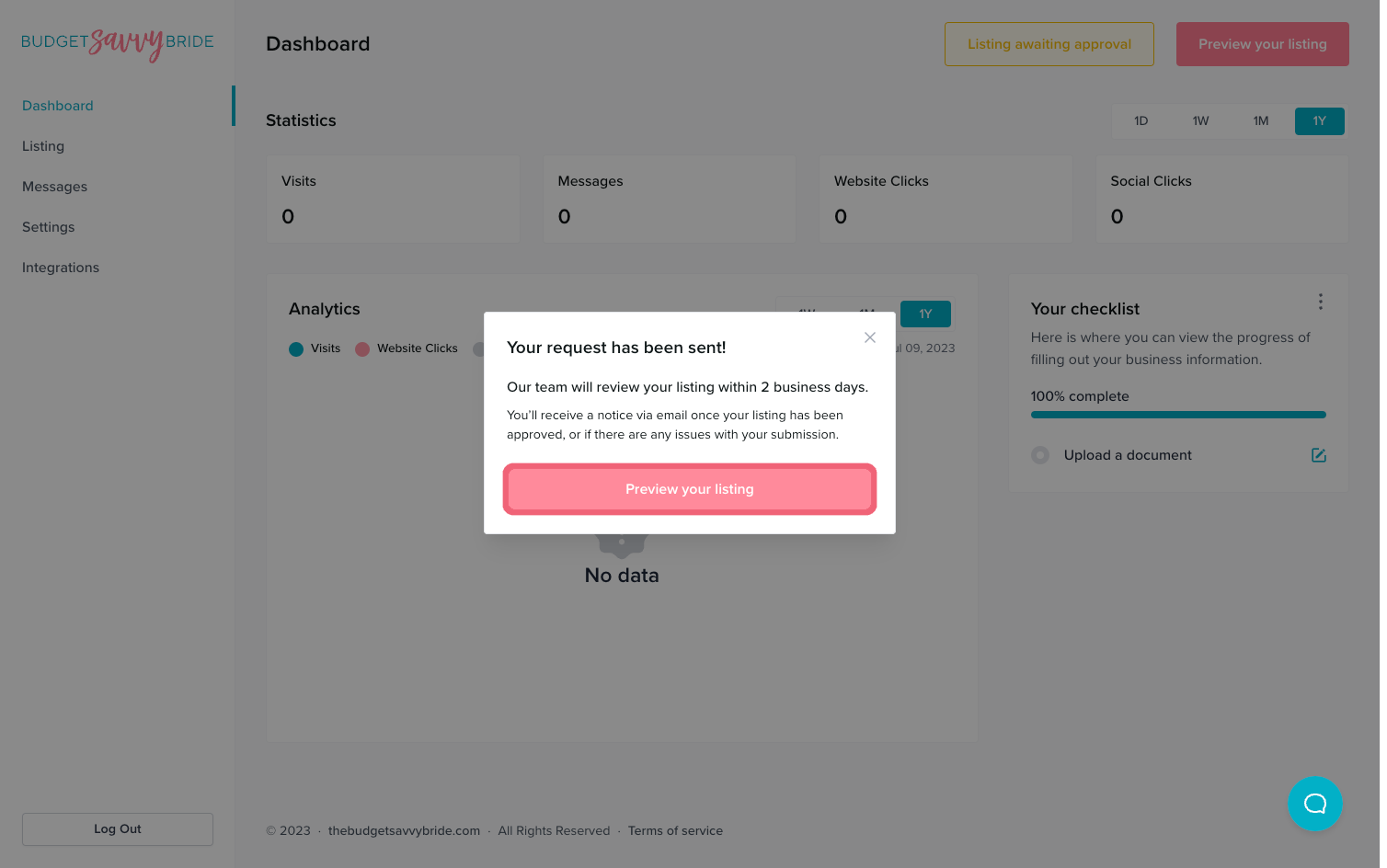
You will see a notice saying that your request has been sent. Please allow up to 2 business days for our team to review your listing for publication!
Once your Listing is Approved
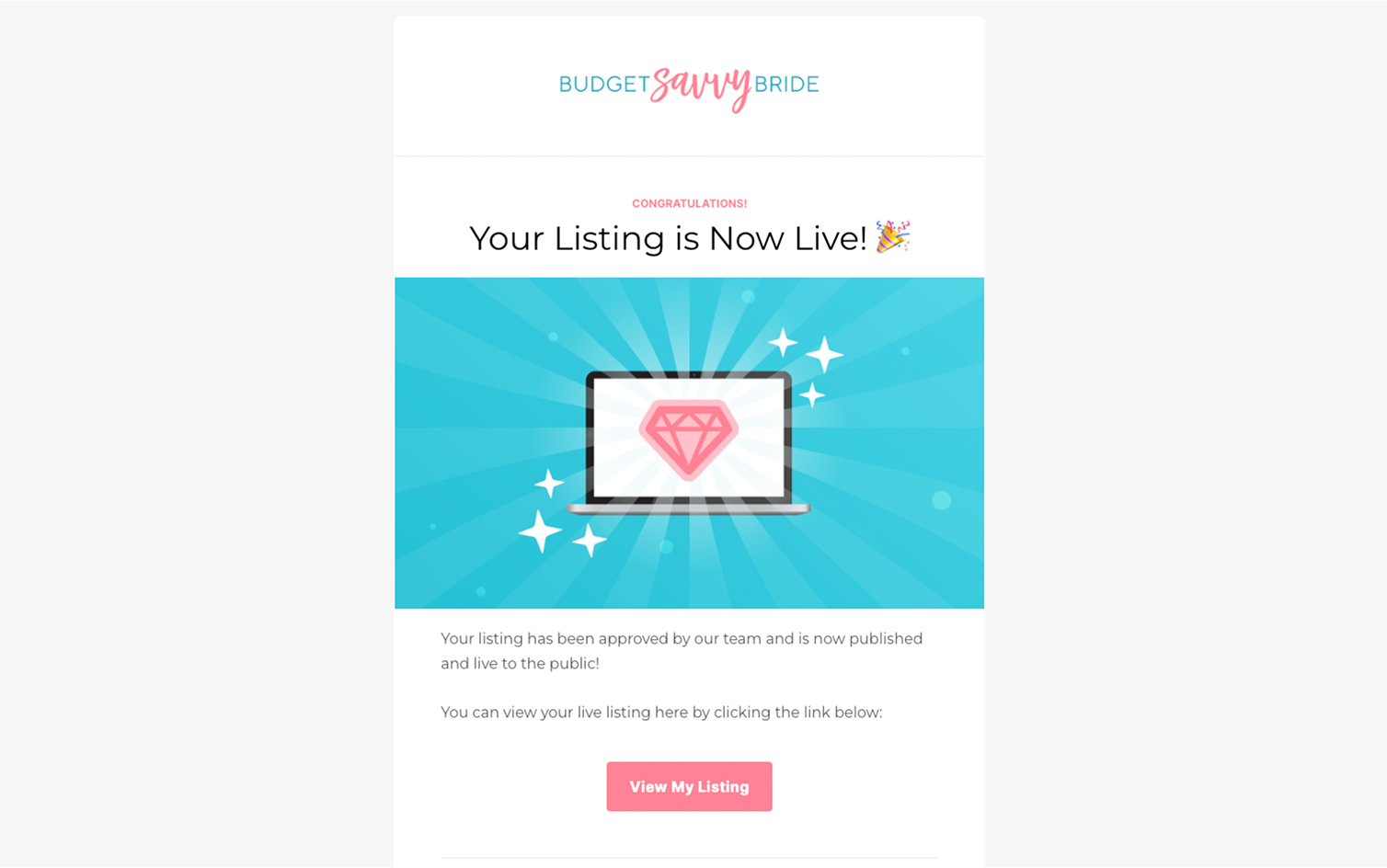
You will receive a notification via email informing you once your listing has been approved. Then, you will be able to view the public link for your listing!
Sharing Your Listing
Time to share your listing with your networks! Share your listing on social media, via email, or otherwise. Just copy the link from your browser to share the location with others!
📣 Be sure to download one of our Featured On Badges, add it to your website, and link it to your business listing!