Pricing
Help Docs Home > Listing Editor > Pricing
To navigate to the Listing Pricing area, first click ‘Listing’ in the left-hand side navigation, then click on ‘Pricing’ from the listing sub-navigation along the top of the editor.

Pricing
Use this area to share pricing details for the listed services you offer. Based on your Vendor Type, different options will appear here that are relevant to your category.
Enable Seasonal Pricing
If you offer seasonal pricing options for your business, you can enable our seasonal pricing feature.
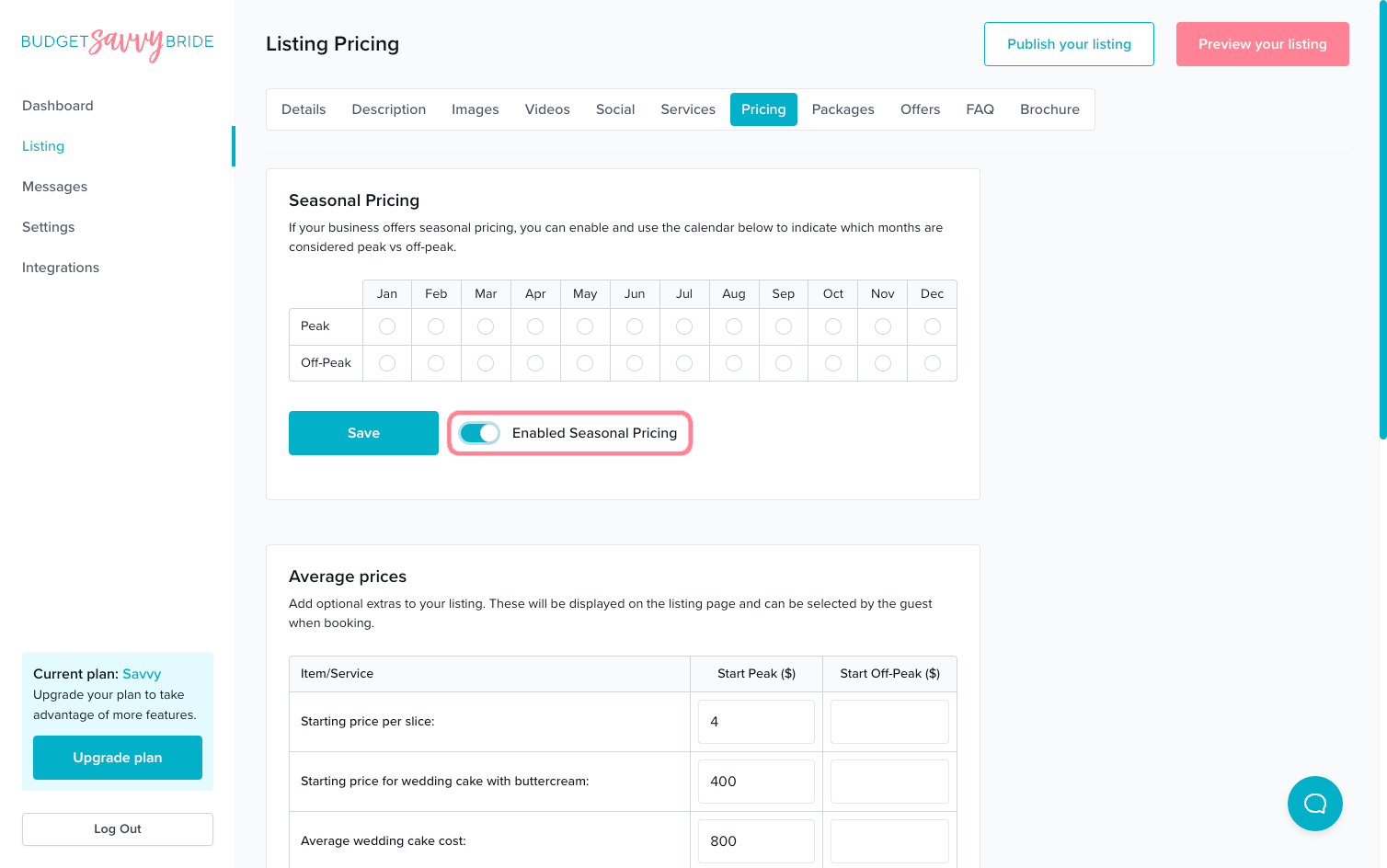
Select Your Peak and Off-Peak Months
This section includes a view of the months of the year so you can indicate which months you consider peak or off-peak for pricing purposes, if applicable. Select the radio button for each month that indicates your pricing structure.
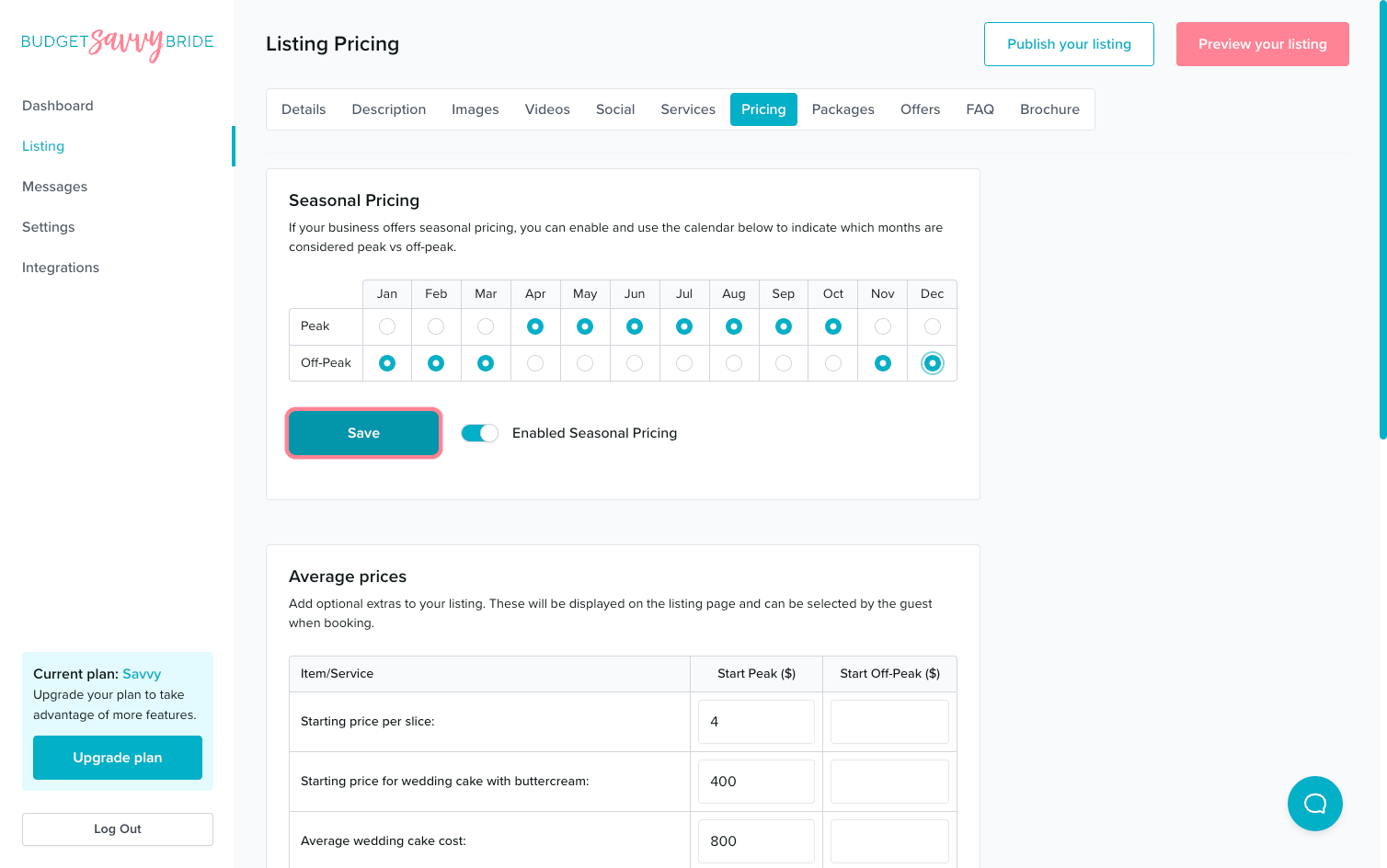
Indicate the months you consider to be ‘ Peak‘ months in the Peak season section.
Indicate the months you consider to be ‘ Off-peak‘ months in the Off-Peak season section.
⚠️ Please note: Make sure to click the Save button at the end of the section to store your selections.
Average Prices
At The Budget Savvy Bride, we believe in price transparency! You can share average prices for common services or products that you offer.
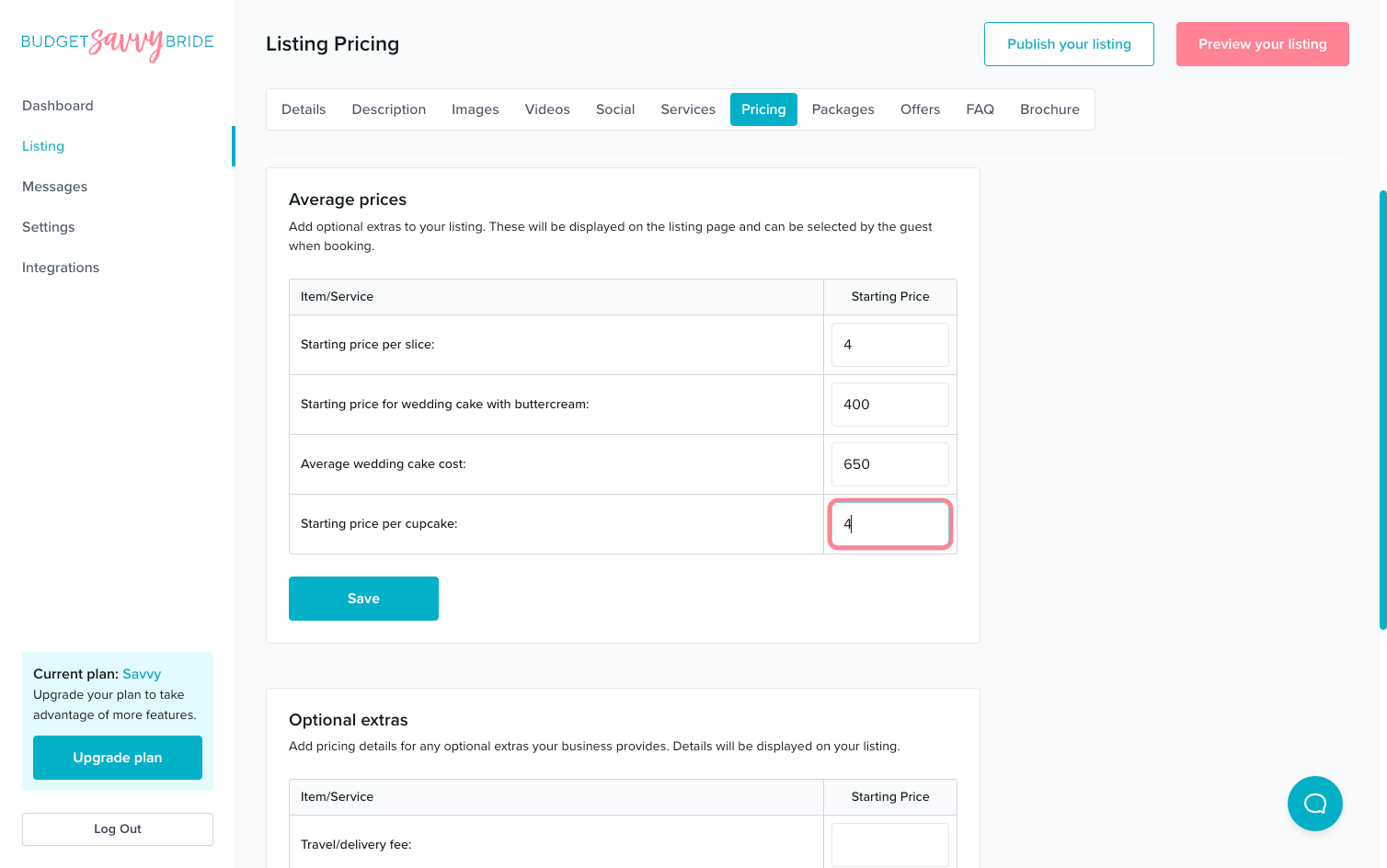
Fill out the relevant options, and feel free to leave items that don’t apply to your business blank. Only the fields you fill out will appear on the public view of your listing.
⚠️ Please note: Make sure to click the Save button at the end of the section to store your selections.
Optional Extras
To give further context or info to potential clients, share additional add-ons or optional services you offer and their costs.
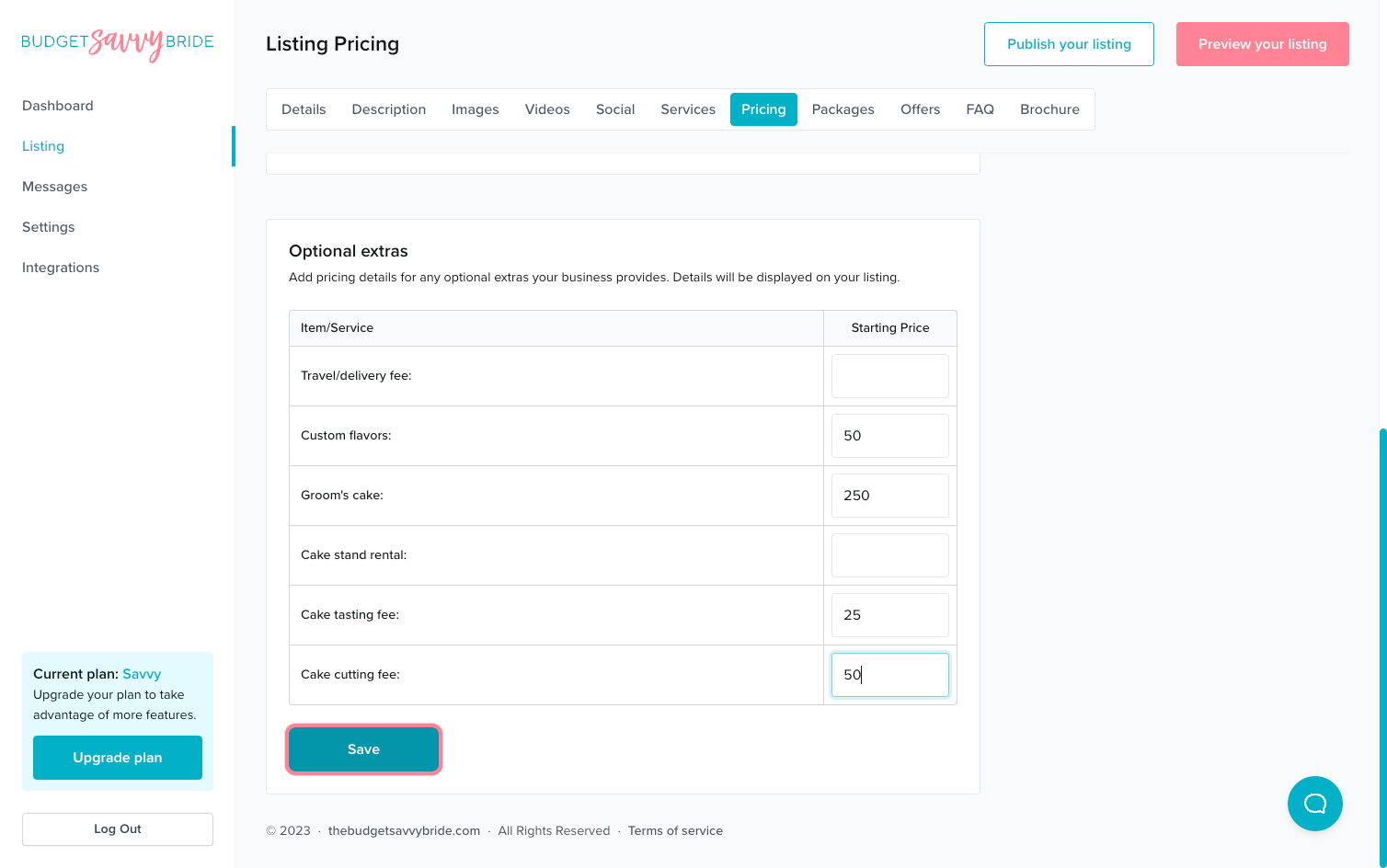
⚠️ Please note: Make sure to click the Save button at the end of the section to store your selections.
✅ Listing completion status:
Fill out a minimum of 2 pricing points in order to complete this section from your listing checklist!
NEXT SECTION >
Next up in your listing editor is Packages.