Packages
To navigate to the Listing Packages area, first click ‘Listing’ in the left-hand side navigation, then click on ‘Packages’ from the listing sub-navigation along the top of the editor.

Packages
⭐️ SAVVY PLAN + 🏆 PREMIUM PLAN FEATURE
Use this section to share up to 3 of your most popular packages.
Add a Package
Click “Add Package” button to start.
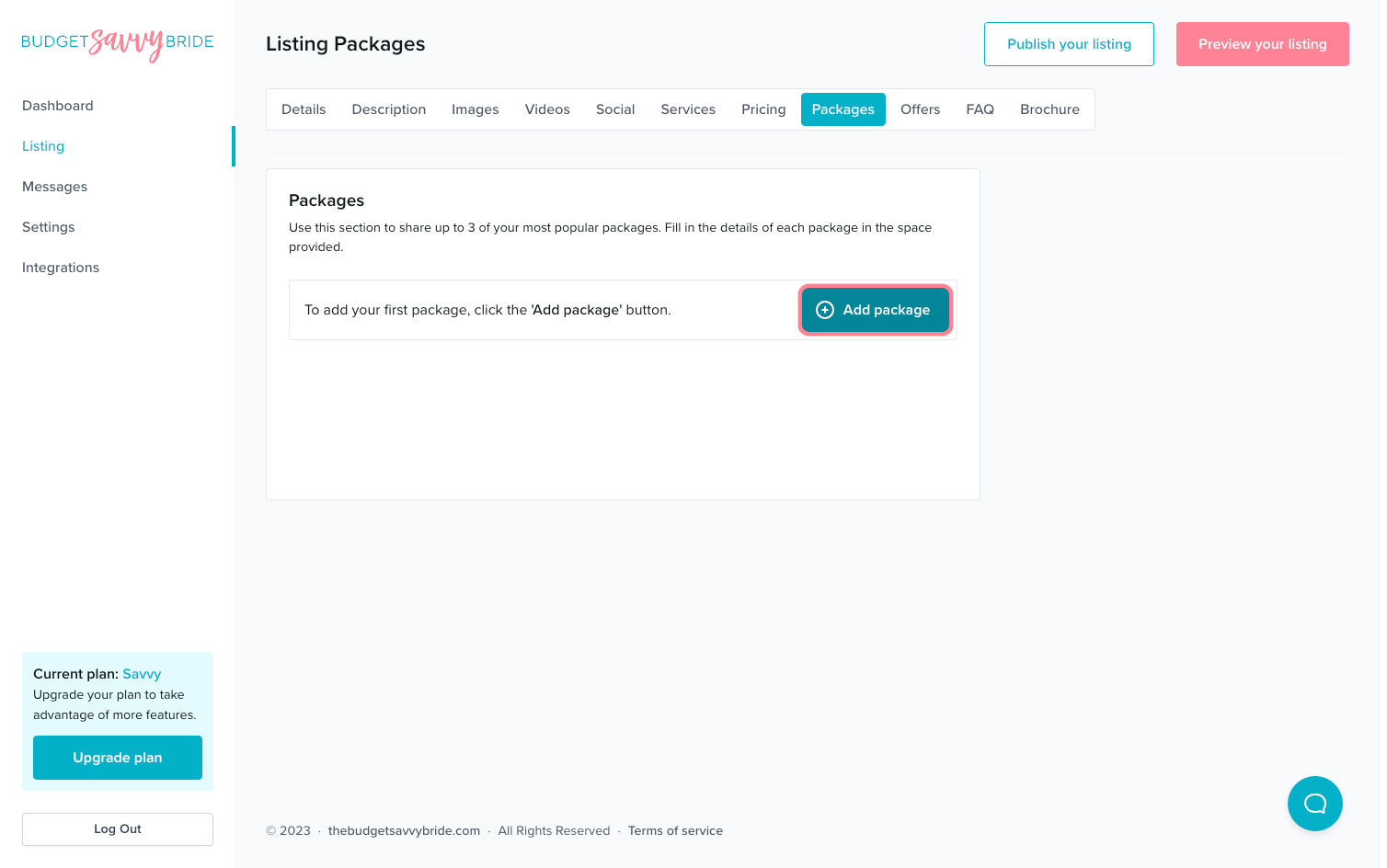
Fill in the details of each package in the spaces provided. There are fields for:
- Package Title
- Price (Seasonal Pricing optional)
- Description
- Included Items
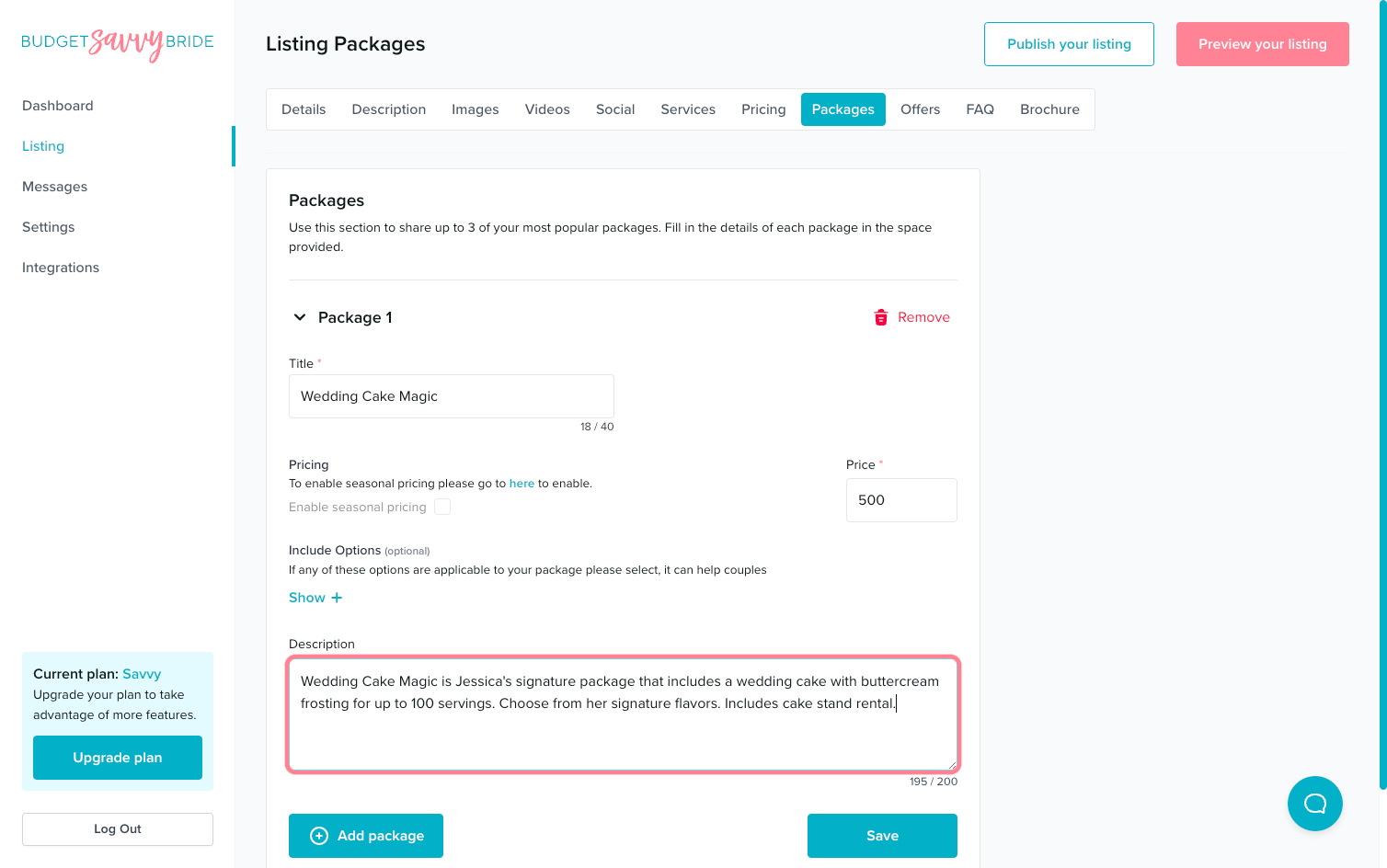
For each package, you can set a Title, peak and off-peak pricing details, as well as a description
Included Options
Click ‘Show +’ to toggle open the list of potential items to include in the cost of your package.
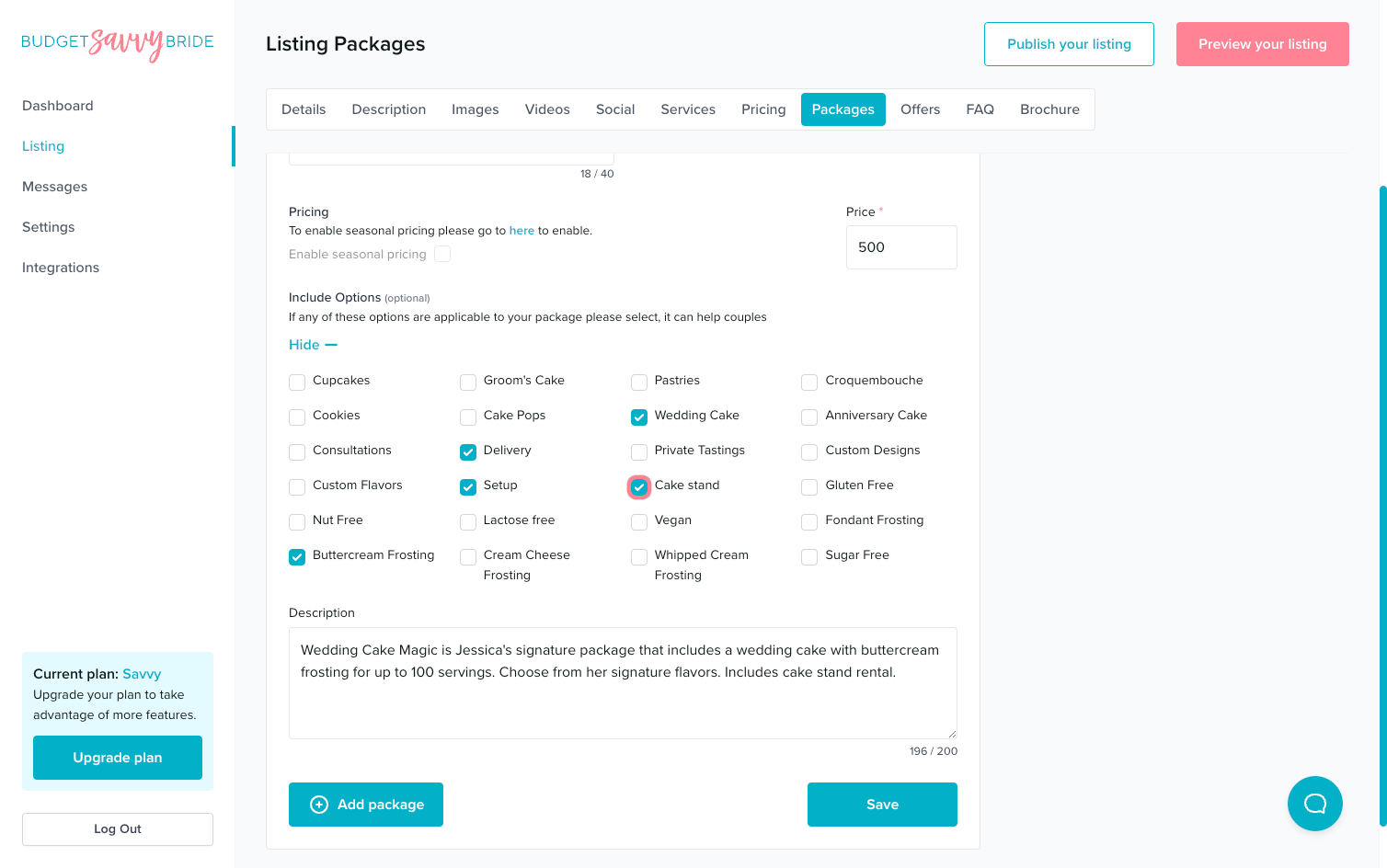
Select the items that you’d like to show as included in each package.
⚠️ Please note: Make sure to click the Save button at the end of the section to store your selections.
✅ Listing completion status:
Create a minimum of 1 package in order to complete this section from your listing checklist!
NEXT SECTION >
Next up in your listing editor is Offers.