Brochure
Help Docs Home > Listing Editor > Brochure
To navigate to the Listing Services area, first click ‘Listing’ in the left-hand side navigation, then click on ‘Services’ from the listing sub-navigation along the top of the editor.

Brochure
🏆 PREMIUM PLAN FEATURE
The Brochure section is an area where you can share a marketing document, a PDF pamphlet, a portfolio, a pricing list, or any other information you’d like to share with couples.
To share a brochure, click the ‘click to browse files‘ button and select a PDF document from your computer.
- Size limit: 1MB
Enter a title for the document you are uploading. This will display on the public view of your listing.
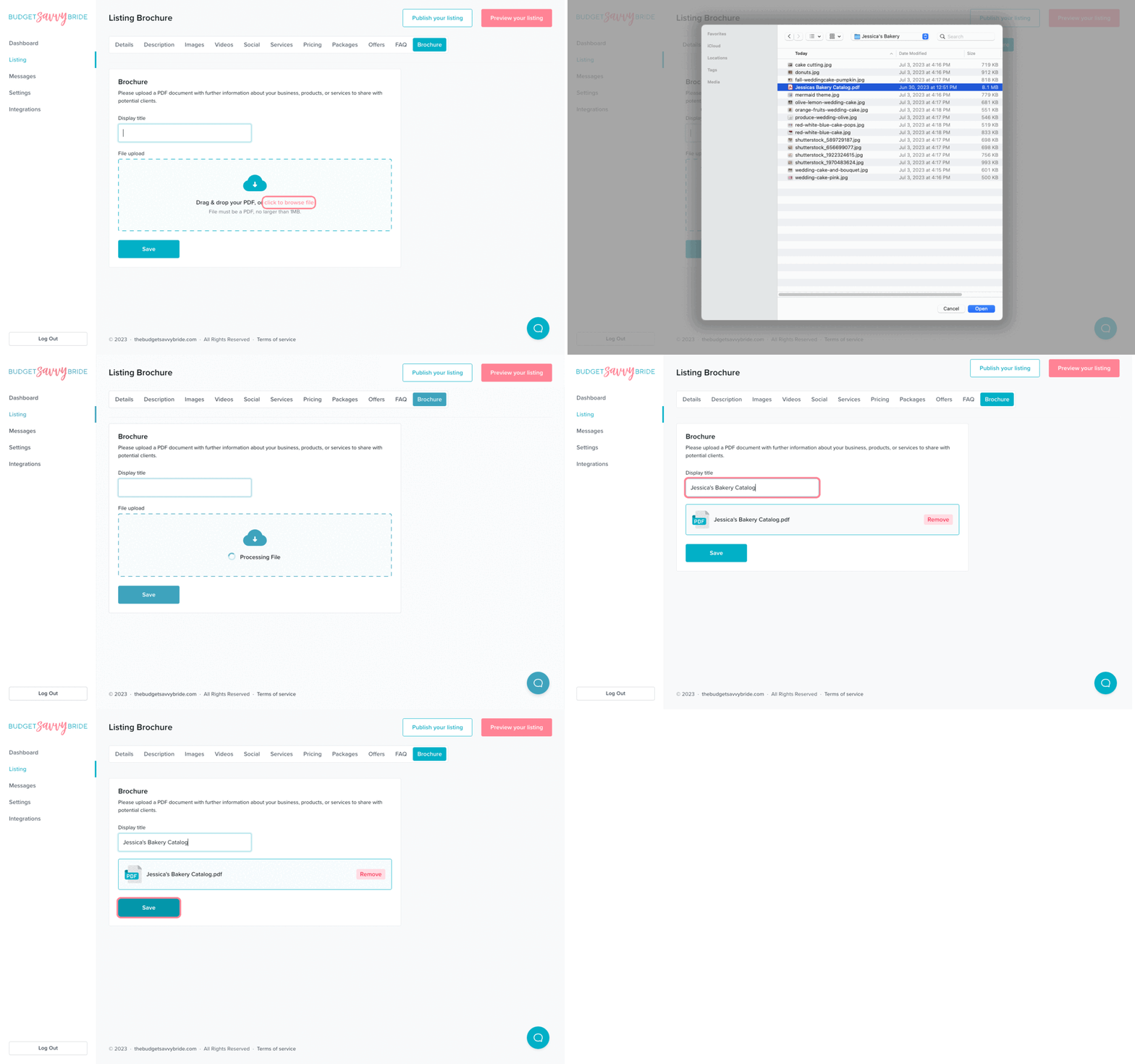
⚠️ Please note: Make sure to click the Save button at the end of the section to store your selections.
View Your Brochure
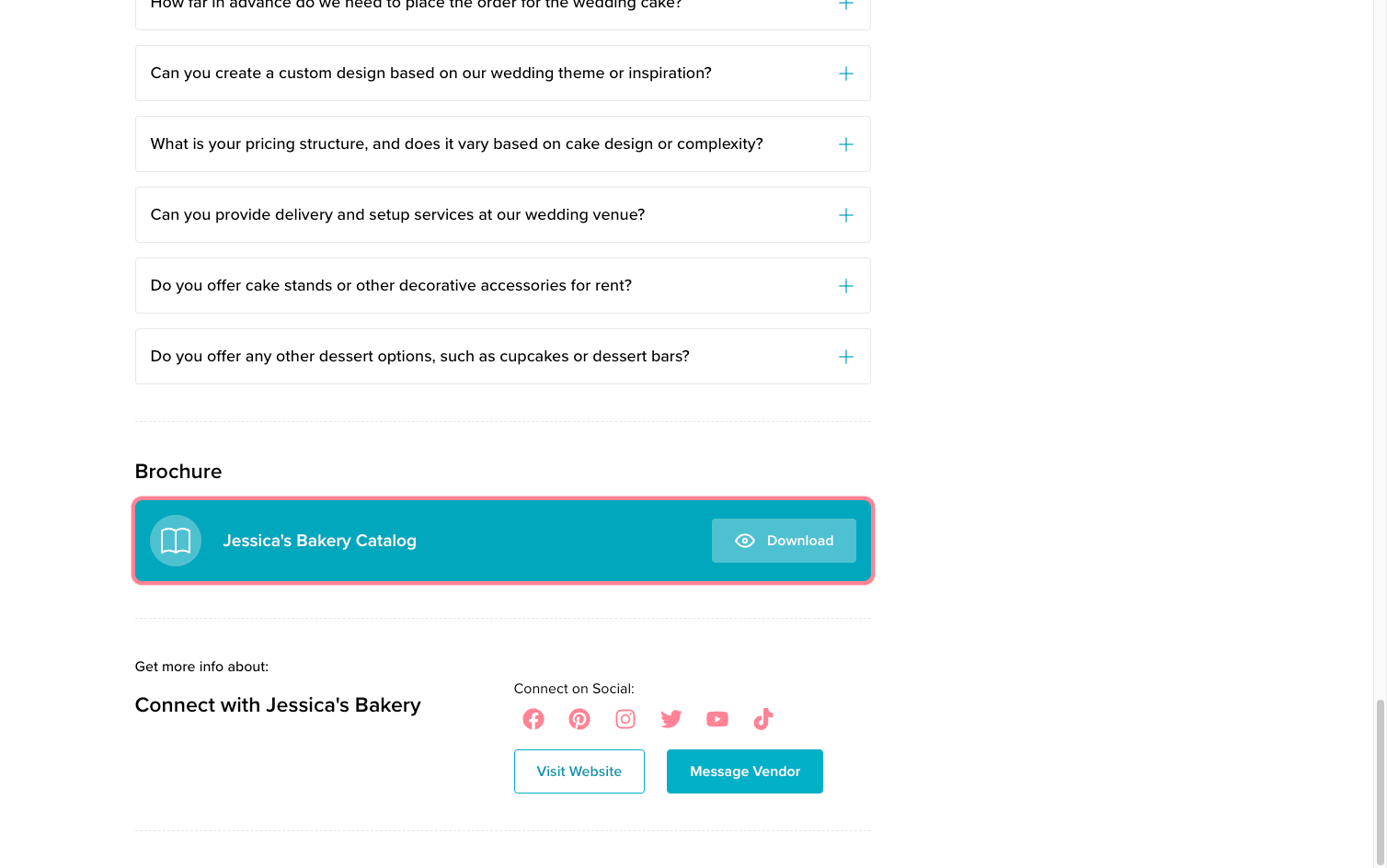
Click the ‘Preview your listing’ button in the top right of your window and you’ll see the brochure displayed on your listing.
✅ Listing completion status:
Upload a PDF in order to complete this section from your listing checklist!
If you’ve made it this far, your profile should be complete and ready for publication! 🎉