Integrations
Help Docs Home > Account Admin > Integrations
One of the great features of the Savvy Wedding Guide is the ability to sync your Google and Facebook business pages in order to share your reviews from those platforms.
The Integrations page allows you to connect your Google and Facebook pages to your Savvy Wedding Guide account and business listing.
How to Connect Your Facebook Business Page
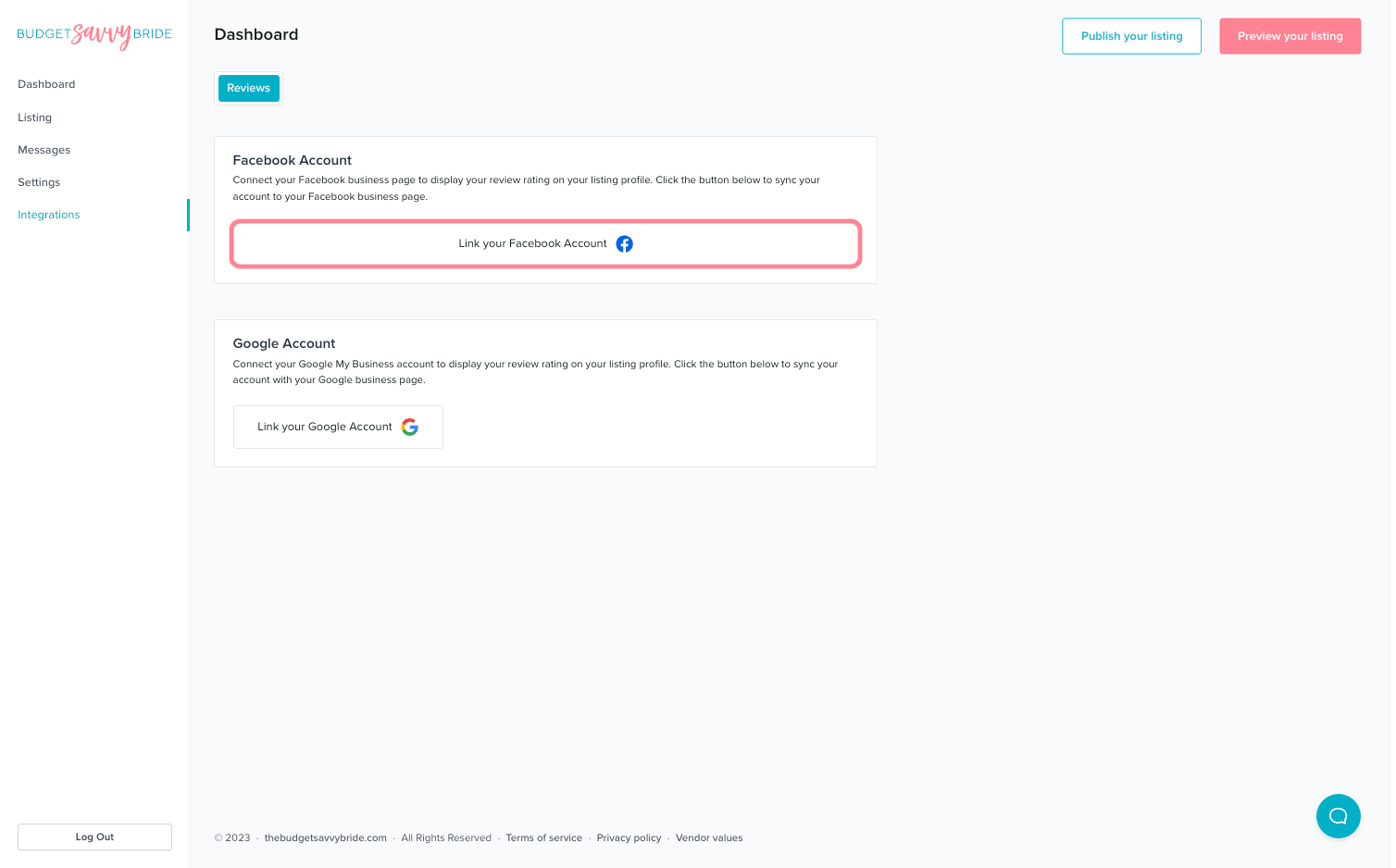
To connect Your Facebook Business Page to the Savvy Wedding Guide, start by clicking the button that says, ‘Link your Facebook Account.’
Your browser window will open up your Facebook. If you’re not yet logged in, you’ll be prompted to login to Facebook before proceeding.
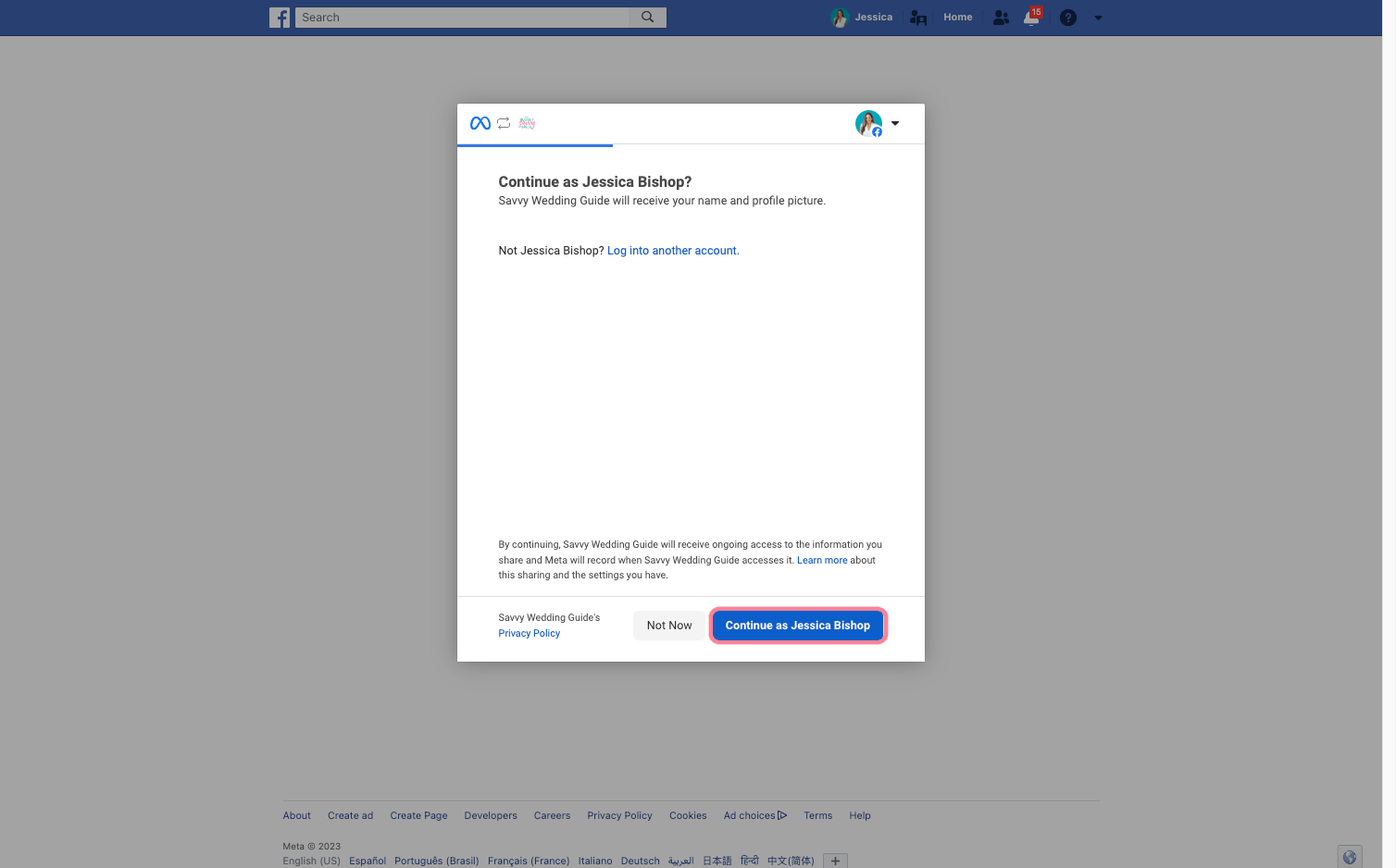
Then, you’ll see this confirmation modal asking if you are logged in to the proper account. If everything looks correct, click the button that says, “Continue as [Your Name].”
Next, you’ll see a list of Facebook business pages connected to your Facebook account. Select the appropriate page.
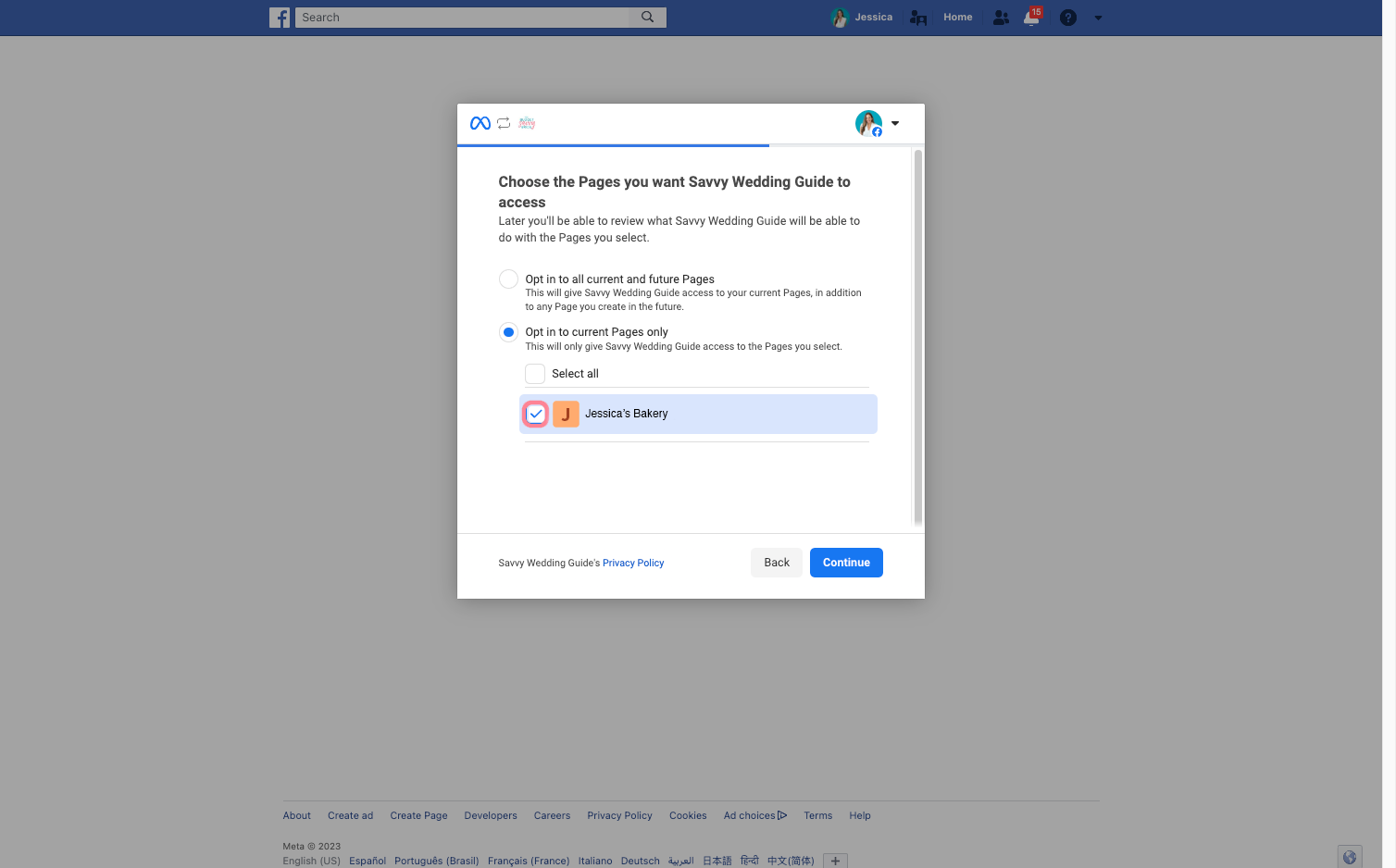
⚠️ NOTE: Select only 1 Facebook business page to connect to your Savvy Wedding Guide profile. Then click, “Continue.”
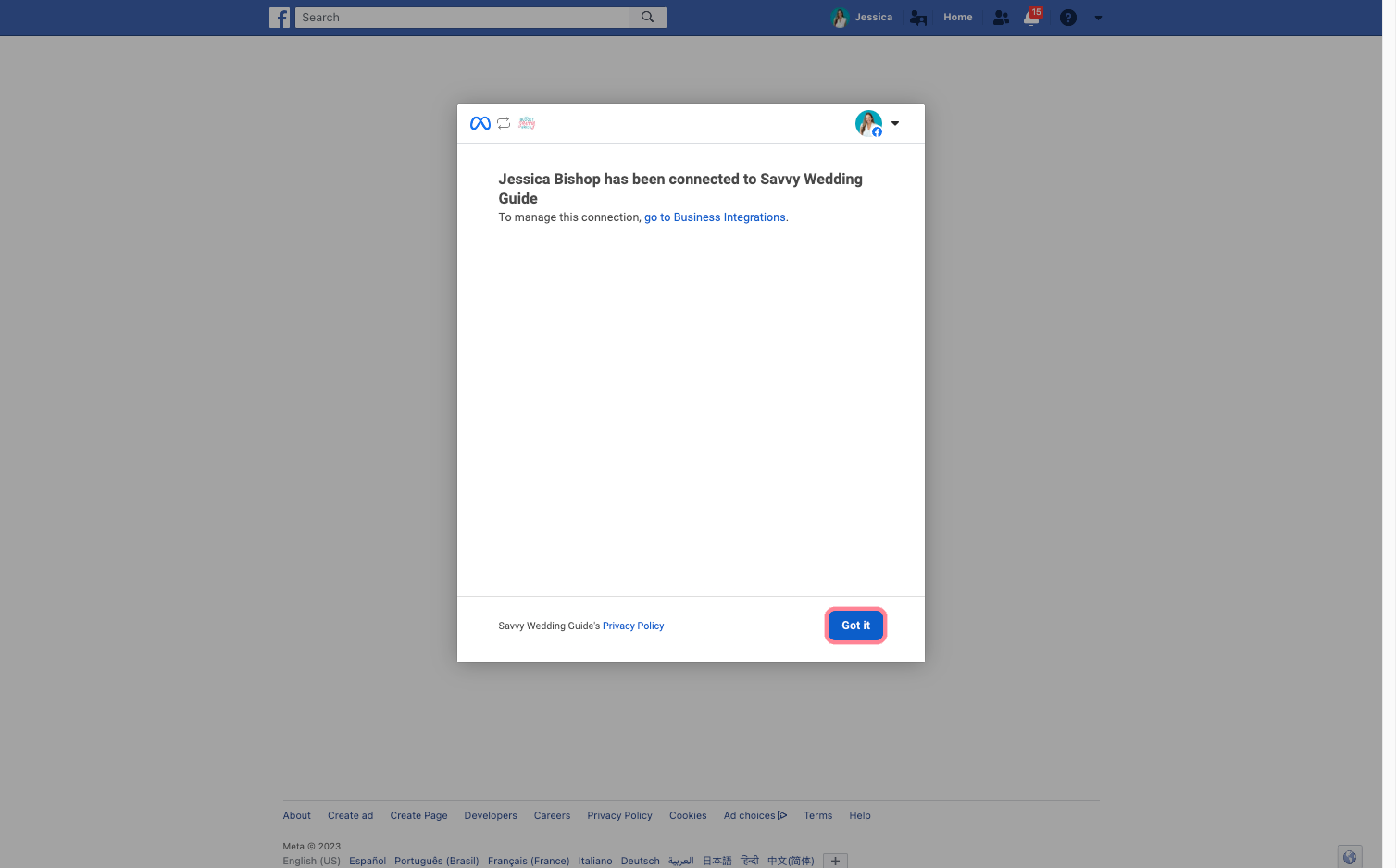
Next, you’ll see a confirmation screen letting you know you’ve officially connected to Savvy Wedding Guide. Click the button that says ‘Got it’ to return back to your account.
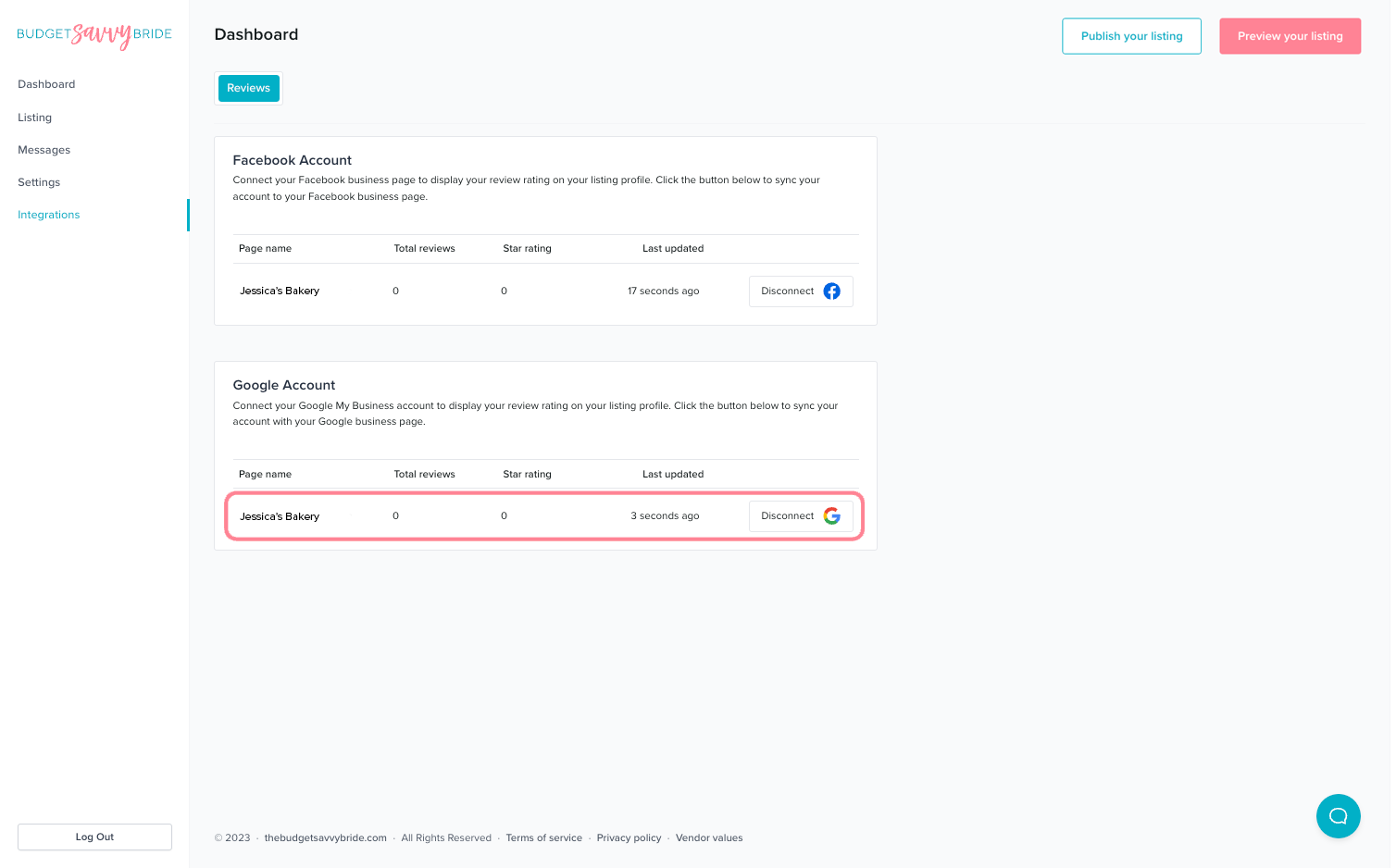
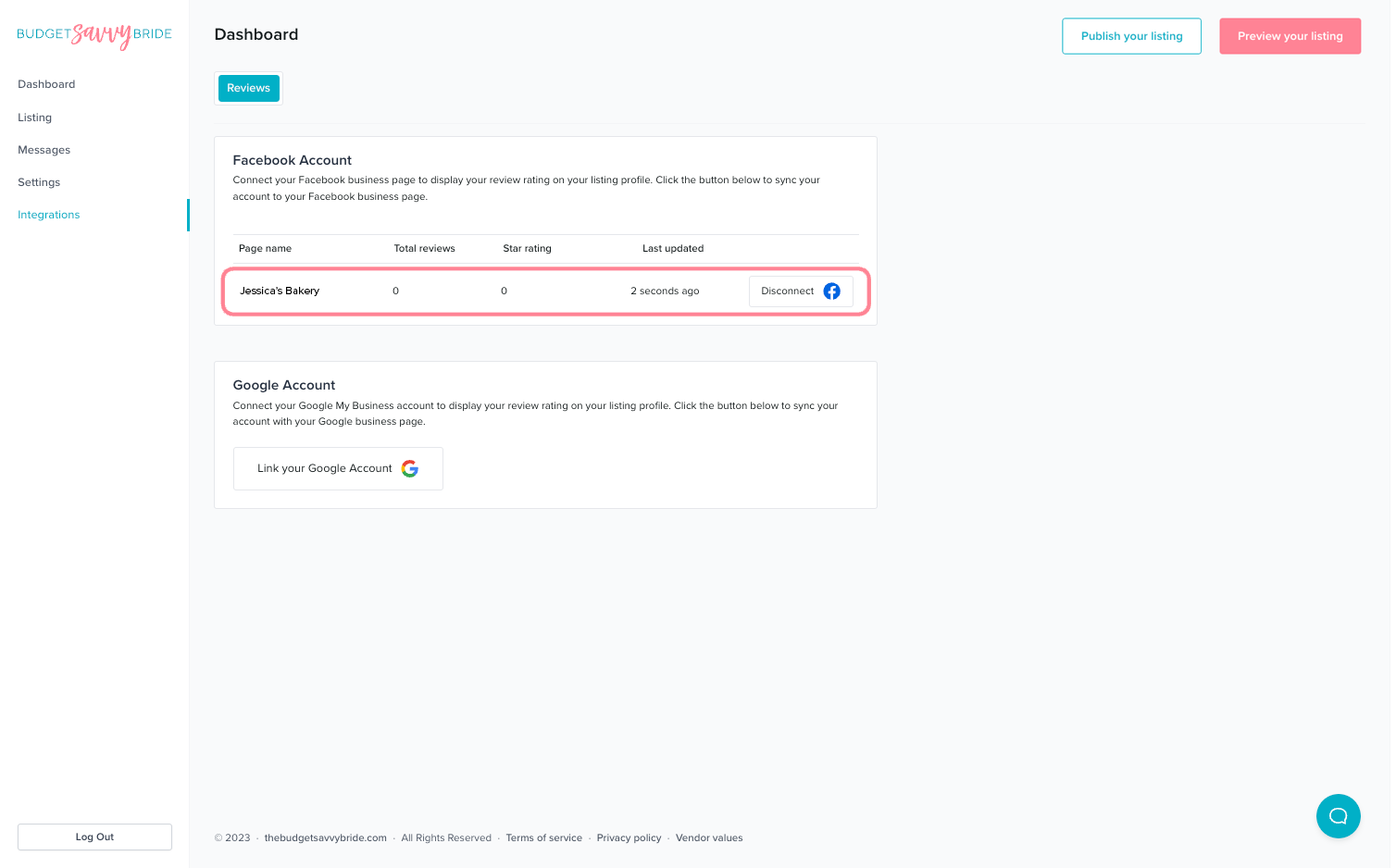
Once back inside your Savvy Wedding Guide account, you’ll see your business page listed under the Facebook Account connection so you’ll know it has been done successfully!
How to Connect Your Google My Business Page
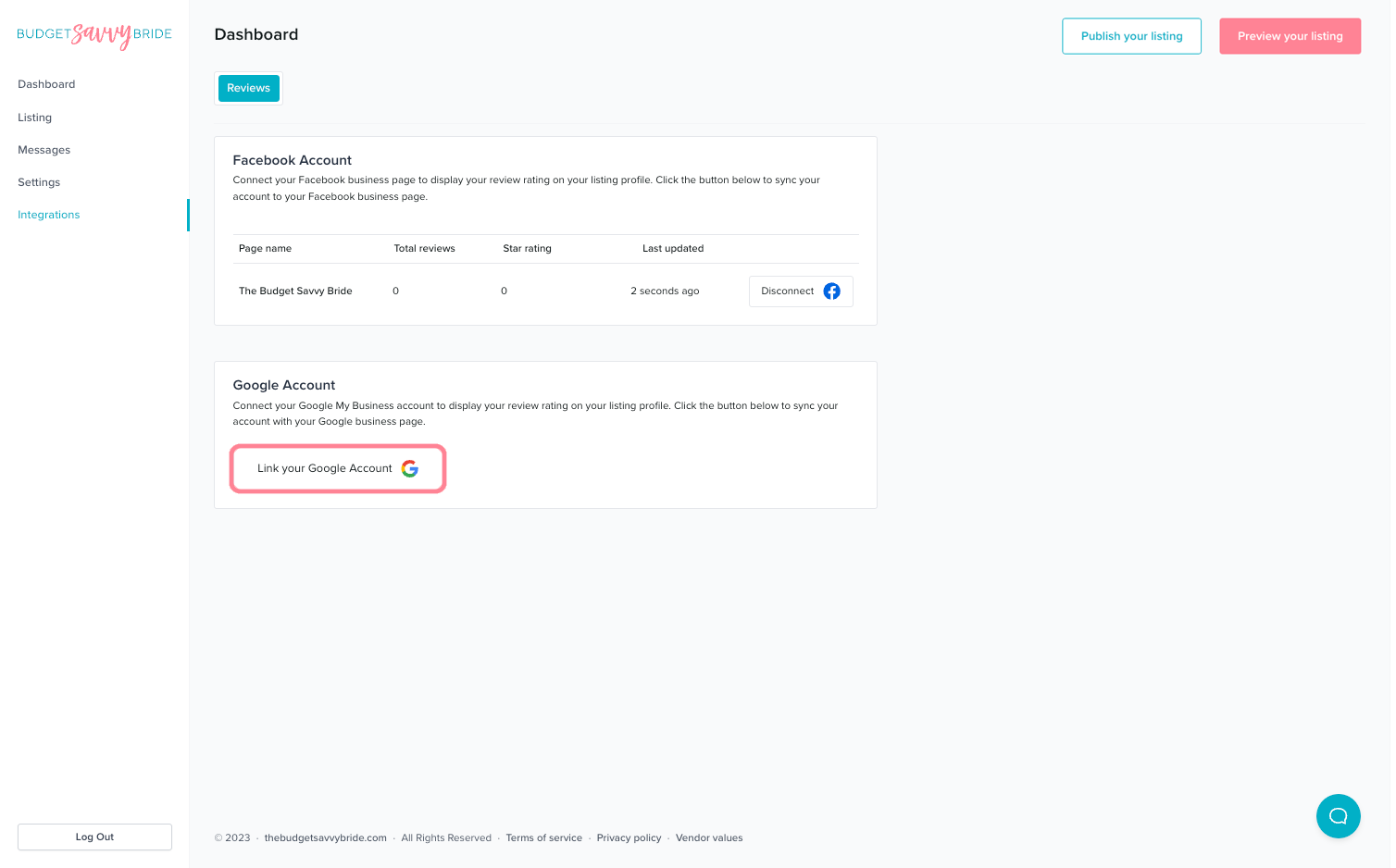
To connect Your Google My Business Page to the Savvy Wedding Guide, start by clicking the button that says, ‘Link your Google Account.’
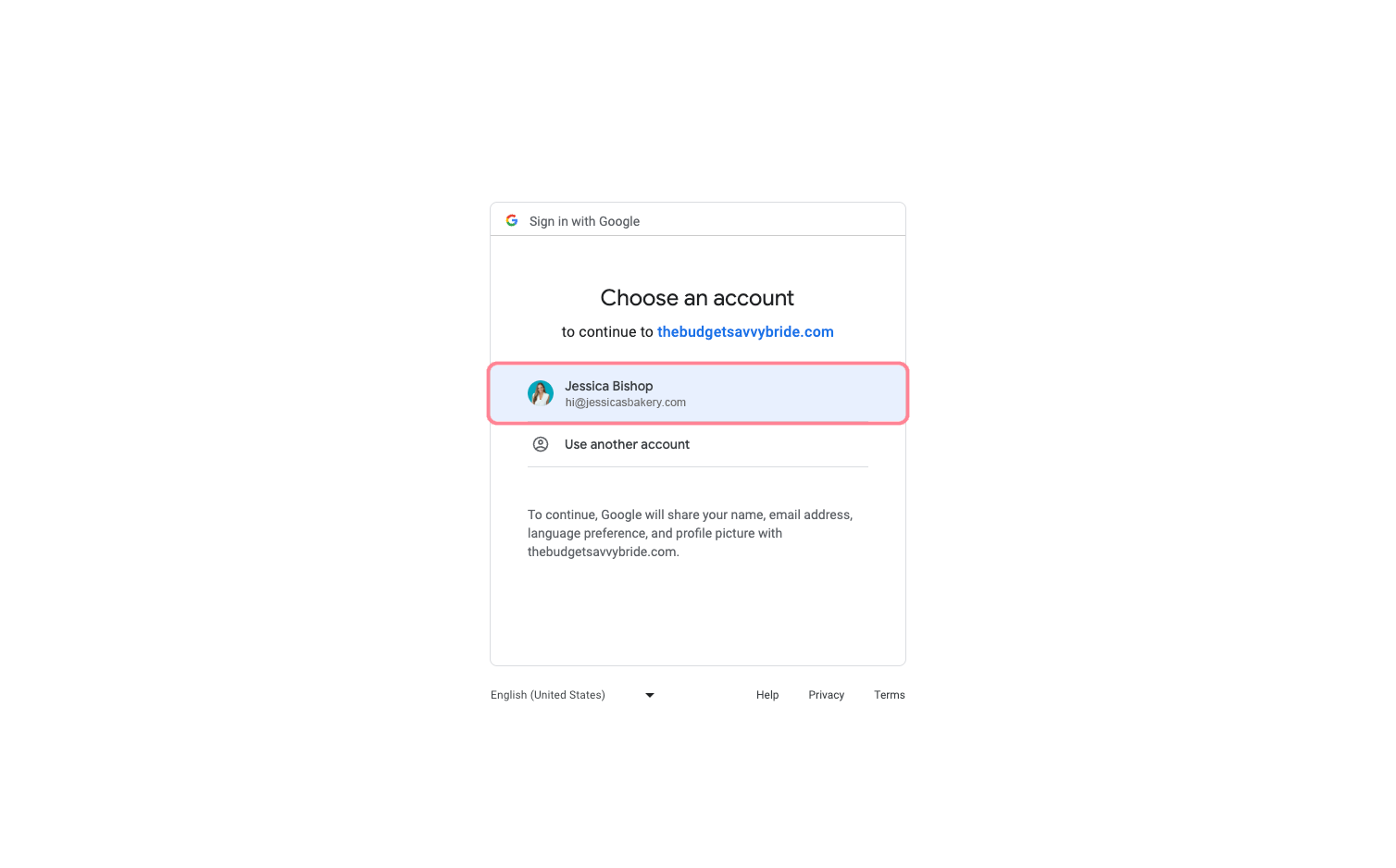
If you’re not already logged into Google, you’ll be prompted to do so. You will need to confirm the Google account is the one you’d like to connect to the Savvy Wedding Guide.
Once you’ve confirmed that you’re logged into the correct account, you’ll be redirected back to your Savvy Wedding Guide account. You’ll see the appropriate business page displayed in the Google Account section.