Signing Up
Help Docs Home > Getting Started > Signing Up
In order to sign up for The Savvy Wedding Guide vendor directory platform, you’ll want to start by visiting the Join page.

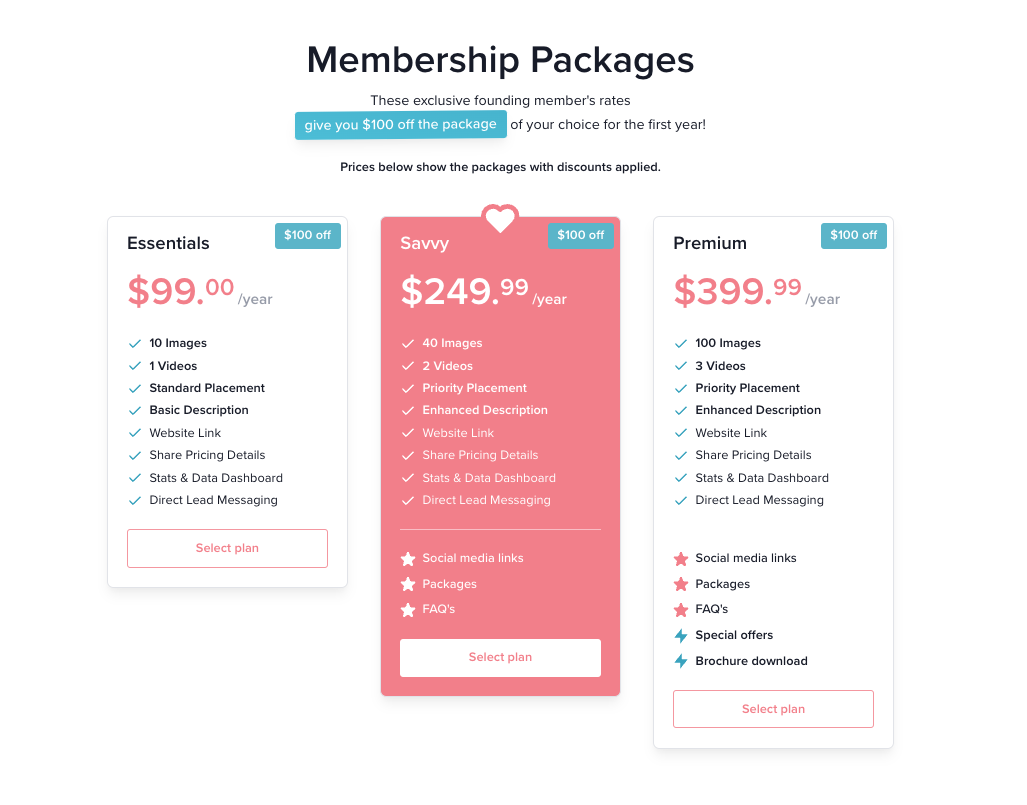
Click ‘Pricing’ in the top Navigation or scroll down to the Pricing area to select a subscription plan.
Step 1: Create Your Account
Once you’ve selected your plan, you’ll be prompted to register your account.

Complete the following fields:
- Name (Your Full Name)
- Email (Account Email Address for billing and admin purposes)
Then, create a secure password and enter it into the two fields to confirm.
Click the checkbox confirming you agree to the Terms of Service, Privacy Policy, and Vendor Values.
When this step is complete, click the button that says ‘Next.’
Step 2: Business Details
Provide a few basic details about your business.

Select your vendor type from the dropdown menu.
Enter the name of your business as you’d like it to display on your business listing.
Provide your business website URL.
Once these fields are complete, click the button that says ‘Next.’
Step 3: Enter Payment Details
To start your subscription, provide your payment details.

Enter your credit card details in order to begin your subscription.
There is also a field for promo codes, if you have one.
You’ll see the details of your order displayed and once you’re ready, click the ‘Complete payment’ button.
Your Subscription is now active!
🥳 You’ve officially registered for your account!
Once payment is complete, you’ll be taken directly to your Account Dashboard.
You will also receive a payment confirmation via email for your records.