Videos
Help Docs Home > Listing Editor > Videos
To navigate to the Listing Videos Area, first click ‘Listing’ in the left-hand side navigation, then click on ‘Videos’ from the listing sub-navigation along the top of the editor.

Videos
The Videos section is a place to include videos about your business or featuring your work.
Depending on your plan, you can include 1-3 videos on your business listing.
Sharing a Video
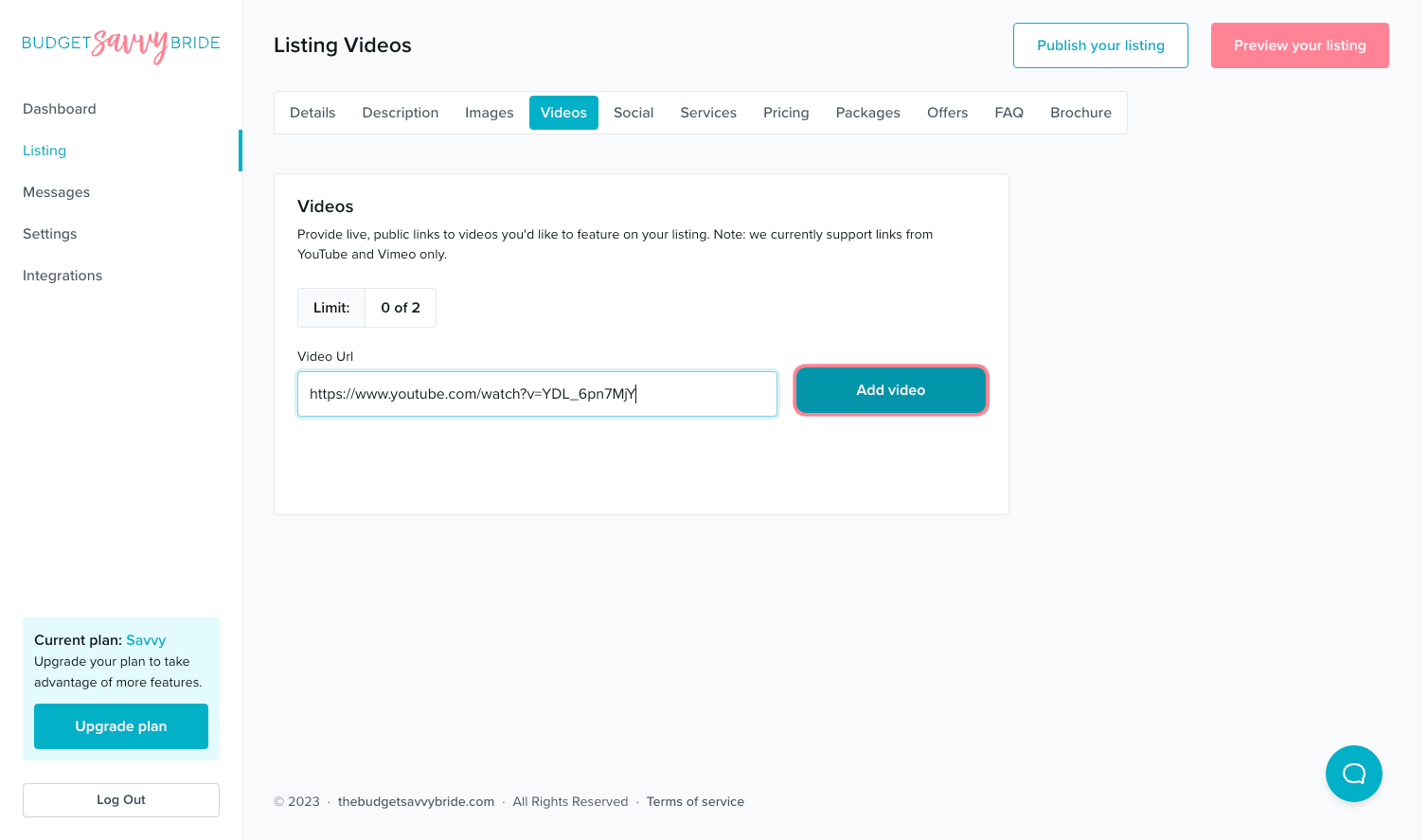
To add videos to your listing, simply copy and paste any publicly viewable video link from YouTube or Vimeo. Then click the ‘Add video’ button.
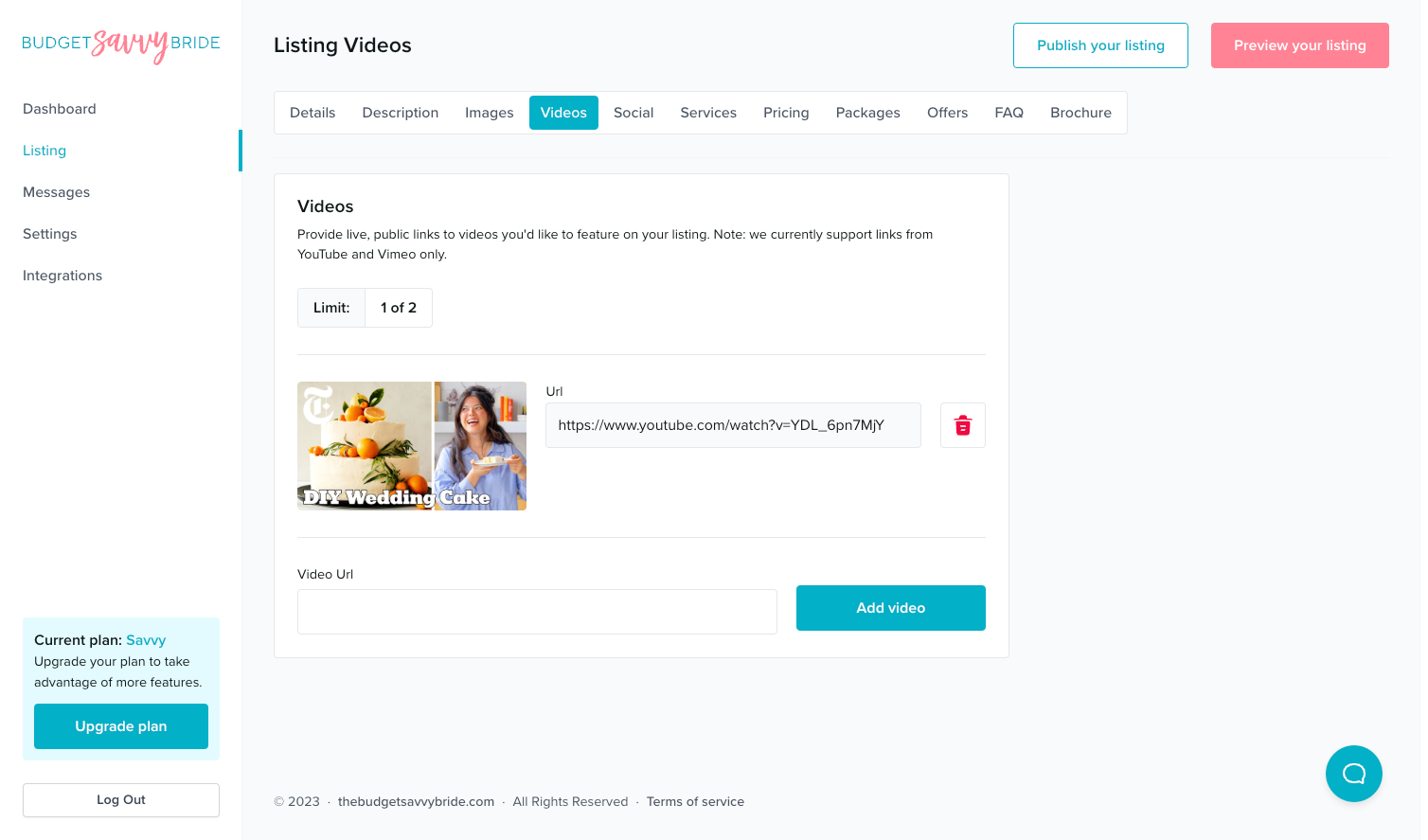
Once the video is processed successfully, the thumbnail will appear in the editor. Add as many videos as included in your plan to achieve the best completeness rating!
⚠️ Please note: You must have a thumbnail cover image uploaded to your YouTube Video in the YouTube platform in order for it to display properly in our system. Please login to your YouTube account and add a custom thumbnail cover image for your video before submitting the link to your listing.
⚠️ Please note: Your changes are saved automatically!
NEXT SECTION >
Next up in your listing editor is your Social Media Profile Links!